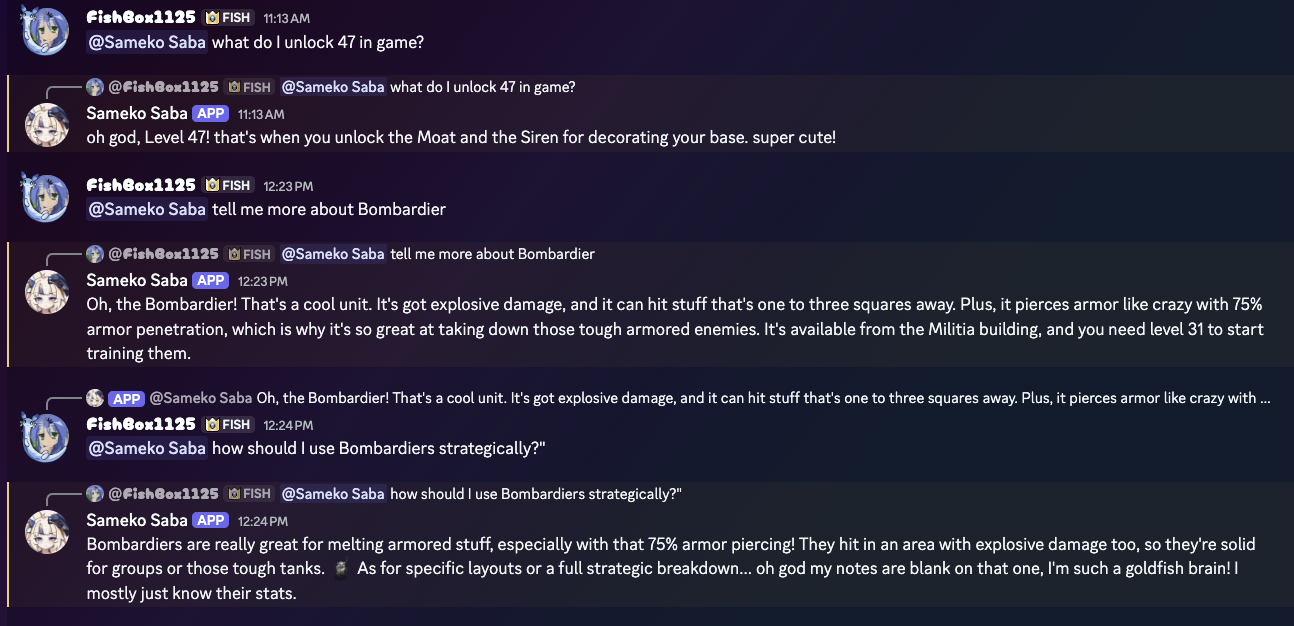
WikiClaw.
Designing a Mac app for two audiences - the user at the door, and the Large Language Model (LLM) reading the output.
The output
is the product.
WikiClaw has two users. One opens the app, clicks through a few screens, hits Start. The other never sees the interface - it's an LLM, reading whatever the app produces, trying to answer questions the user might type later. In this case, that LLM is a Discord bot I built for my gaming guild - WikiClaw's output is its RAG source. The output isn't just the product; it's my next product's input. Most Mac-app case studies stop at the first user. This one is about designing for both.
Same product. Two completely different audiences.
Designing for a human is conventional UX work. Designing for an LLM is something else - the model never sees your icons, just your output. Both are real users. Both have to be designed for.
Opens the app. Clicks four buttons.
Wants to know the URL is right, the crawl is happening, and where the files end up. Cares about feedback, status, trust.
Never opens the app. Embeds the output.
Wants chunks that disambiguate in vector space. Cares about content, headers, schema, what's in the embedding window.
Three small UI decisions, one larger architecture decision behind them.
The product looks simple on purpose. Paste a URL. Verify. Pick mode. Start. Three controls, two pieces of state, one destination. Most of the design work is in what the user doesn't see - the verification step that catches typos before they cost twenty minutes, the mode switch that absorbs an entire settings page, the architecture choice that makes the whole thing distributable.
i.Verify before crawl
MediaWiki sites all look like wikis from the outside, but plenty of links labeled "wiki" are third-party platforms with no API surface WikiClaw can parse. Failing eighteen minutes into a crawl because you typed a URL that wasn't actually MediaWiki is the worst possible UX. So WikiClaw verifies first - pings the URL, reads the API headers, names the wiki back to you with a page count. Five seconds saves twenty minutes.
The result is the small green-check + wiki name + page count below the URL field. Once you see 4,847 pages resolve, you can decide whether you actually want to crawl the whole thing - and the "Preview a page first" link is right there if you don't.
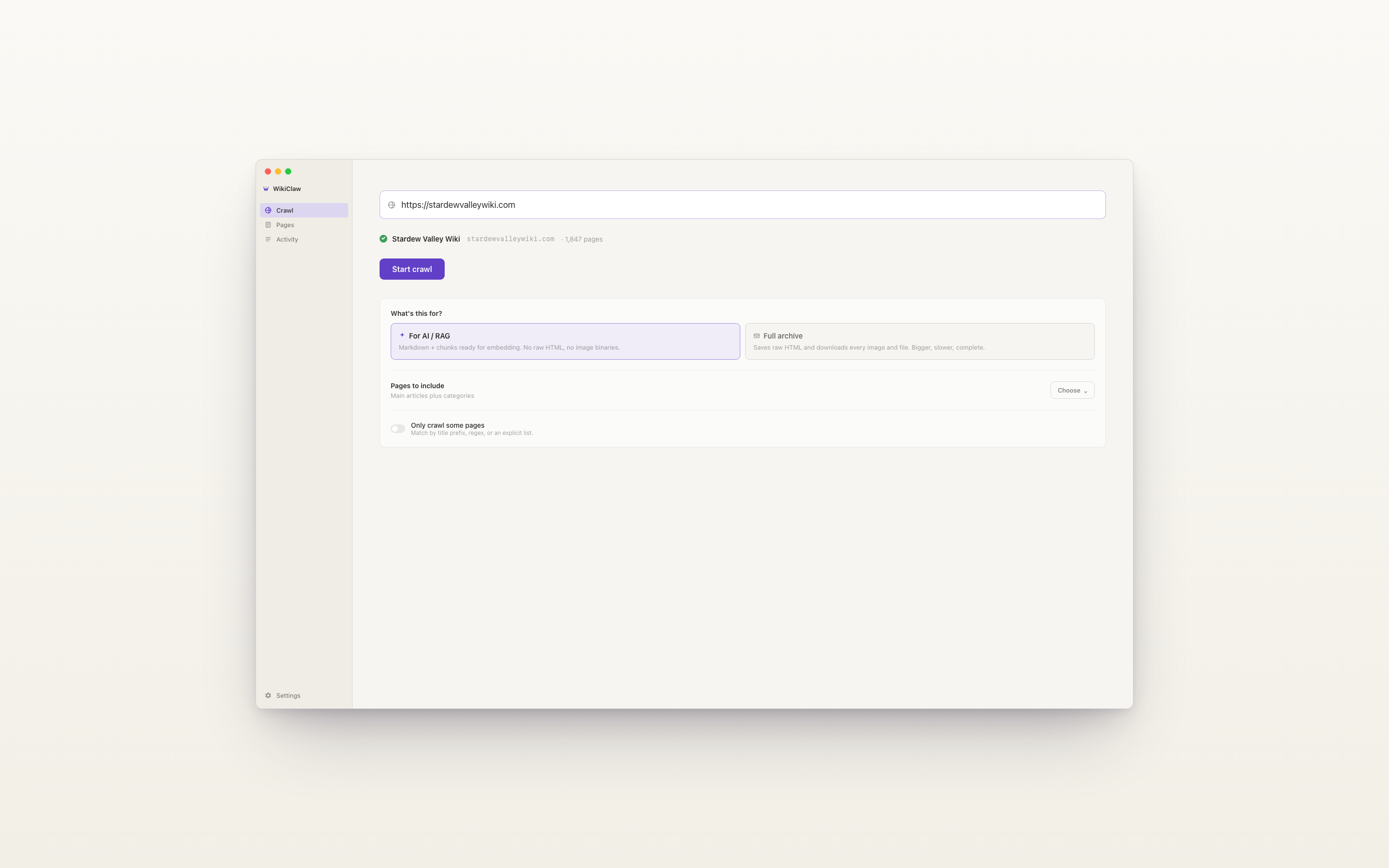
ii.Two modes, not a settings page
Two distinct downstream uses for wiki data - feeding an LLM, or building an archive - push toward different output shapes. One wants chunked Markdown with metadata; the other wants raw HTML with assets and revision history. The first version of WikiClaw exposed a settings page with seven toggles. It tested badly. Nobody wanted to learn what "include section anchors" did before they could start a crawl.
v1.0 collapsed it to a single decision asked once, up front. "What's this for?" - AI / RAG, or Full archive. The crawler is the same; the output adapter differs. Seven knobs became two cards.
Power users still get the knobs - when they earn them. Click further into Options and the nuanced controls appear: pages to include, only-crawl-some-pages with title prefix / regex / explicit list. Most users never touch these. The ones who need them find them right where they expect.
iii.Sandbox stays on, even though dropping it would be easier
The cleanest path to anti-scraper-defeating fetch (Python + headless Chromium) would have required dropping the App Sandbox. That would have closed the Mac App Store door - sandboxed apps can't subprocess arbitrary interpreters. Sandbox-on plus WKWebView keeps both options open. I might never ship to MAS. But the option costs nothing to preserve, and quite a lot to reclaim later.
·The architecture decision behind the three above
A week before App Review, I had to pick how WikiClaw would actually fetch pages. The decision wasn't really "engineering" - it determined what was possible upstream. Bundle size. Distribution. App Store eligibility. Whether the app could fetch most modern wikis at all.
Mid-conversation with myself, I said: "I might offer this on the internet someday."
That sentence - a vague, future-user constraint - picked the architecture.
I shipped v1.0. Then I tested the output and discovered I'd designed for the wrong reader.
The first version of WikiClaw shipped chunks that were technically valid JSONL and entirely useless for retrieval. I ran it on the Battle Nations wiki - about 1,200 pages of units, buildings, missions, strategy guides - and threw the output into a local embedding pipeline. The retrieval was bad. Not subtly bad. Just wrong.
When I read the chunks, I saw why. Every page was emitting its section bodies as separate chunks. Most pages used the same section names - Strategy. Overview. Stats. Five thousand chunks of text labeled "Strategy" in their metadata, indistinguishable in vector space because the metadata isn't what gets embedded.
I audited the output against four specific failure modes. v1.0.1 ships the fixes.
01.Chunks have no self-context
Every chunk's content field was the section body alone. Page title and section path lived in metadata. But content goes to the embedder; metadata is for filtering. The fix is one of the oldest tricks in domain-specific RAG: prepend a breadcrumb header to the chunk's actual content.
{
  "chunk_id": "p_4521#3",
  "page_id": "p_4521",
  "content": "Position Bombardiers behind your
            Heavy Tanks for maximum splash
            damage. Avoid sending them solo
            against ranged enemies - they
            have low HP relative to cost.",
  "metadata": {
    "page_title": "Bombardier",
    "section_path": ["Strategy", "Level 5"],
    "url": "…/wiki/Bombardier"
  }
}{
"chunk_id": "p_4521#3",
"page_id": "p_4521",
"content": "# Bombardier › Strategy › Level 5
Position Bombardiers behind your
Heavy Tanks for maximum splash
damage. Avoid sending them solo
against ranged enemies - they
have low HP relative to cost.",
"metadata": {
"page_title": "Bombardier",
"section_path": ["Strategy", "Level 5"],
"url": "…/wiki/Bombardier"
}
}02.Infoboxes never reached the embedding pipeline
Highest-leverage fix in v1.0.1. Infoboxes are pure structured data - for a unit page in a game wiki, they have HP, cost, tier, range, damage. Exactly the data users ask about. The wiki parser correctly extracted them into a structured field on each page record. None of that data made it into any chunk.
A user asks "what's the HP of a Bombardier?" and the LLM gets nothing back from retrieval, because the answer isn't in the embedded text - it's in a structured field three layers removed from the embedder. Fix: synthesize an extra chunk at position 0 that flattens the infobox to readable bullets.
| Tier | 4 |
|---|---|
| Cost | 50 gold |
| HP | 120 |
| Range | 5 |
| Damage | 30 |
| Upgrade | 100 gold + 5 nanopods |
03.One-size chunk size
v1.0 used a fixed 800-token chunk. That's roughly the right size for a few embedders and roughly wrong for the rest. text-embedding-3-small wants ~512. voyage-3 is happy at 1500. Re-chunking downstream is annoying - it means keeping WikiClaw output and a separate chunker in sync. Fix: three presets, named for the model they suit. Below is the proposed UI for v1.0.1.
cohere-embed-v4
nomic-embed-text
most embedders
gemini-embedding
04.No page-level summary
Broad queries - "what's covered in this wiki?", "list all unit types" - need page-level pointers, not section-level prose. Top-K returns five paragraphs about specific units when the user wanted a list of unit categories. Fix: emit a synthetic summary chunk per page with title + lede + a flat list of all section headings.
·Prioritization, the way I shipped it
Four fixes; not equal. Two of the four were dramatically high-leverage and trivially cheap. The other two are quality-of-life additions worth doing but worth doing second.
~30 min · disproportionate retrieval gain
~1 hr · the killer move for stats wikis
~1 hr · UX polish, not retrieval-critical
~1 hr · helps broad queries
Three queries that were broken in v1.0 resolved in v1.0.1.
The first real-world test was the Battle Nations wiki - about 1,200 pages, mix of unit pages (heavy on infoboxes), strategy guides (heavy on prose), and trivia stubs (sparse, awkward). Crawl took six minutes wall time at 1 req/sec.
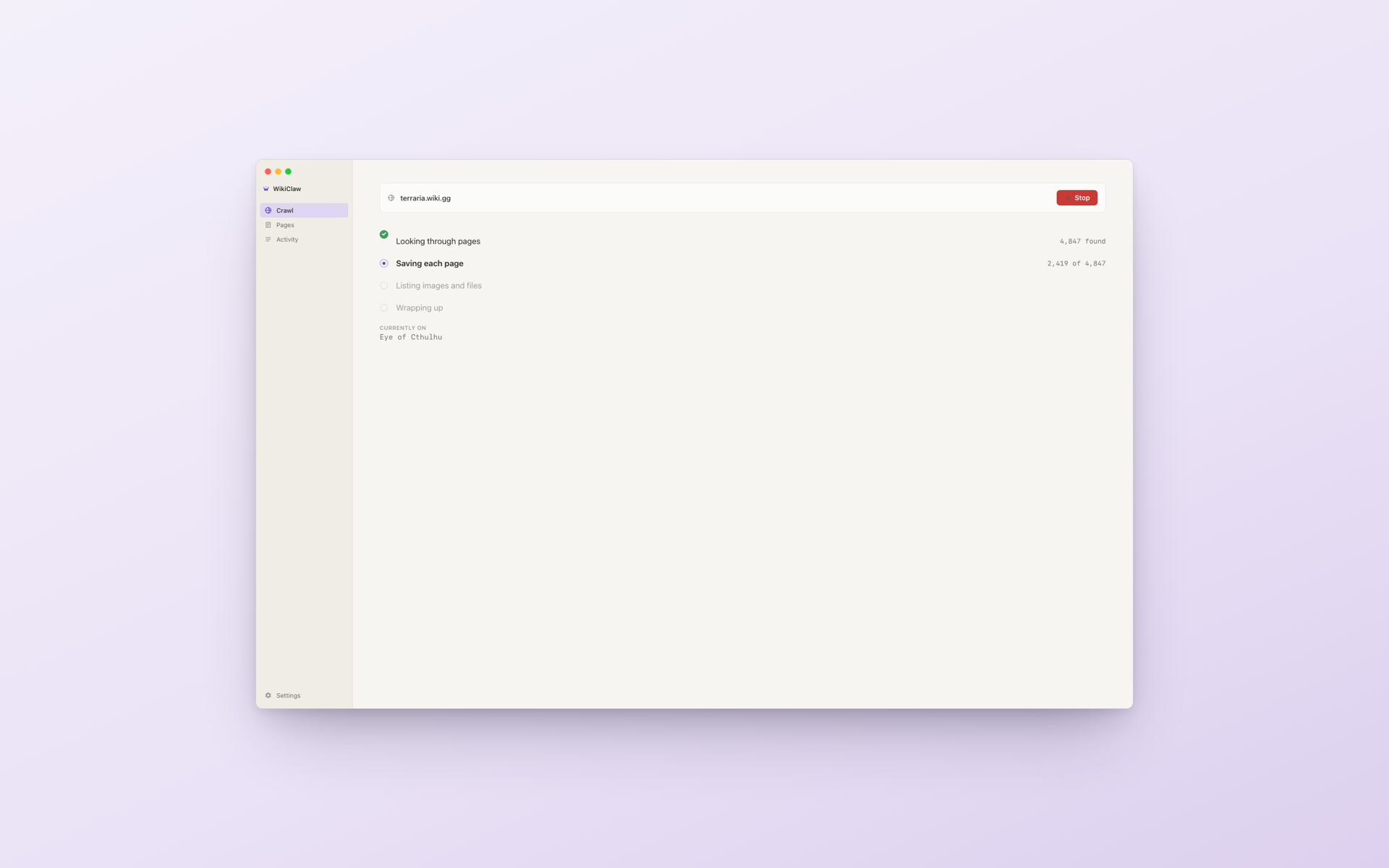
When the crawl finishes, the app shifts to its done state - and a Finder window pops open showing the output folder. The full payload is laid out for inspection: pages.jsonl, chunks.jsonl, categories.json, assets_manifest.json, site_manifest.json, anchors.json, plus an assets/ folder for downloaded images. The user goes from "did it work?" to "where's my data?" in zero clicks.
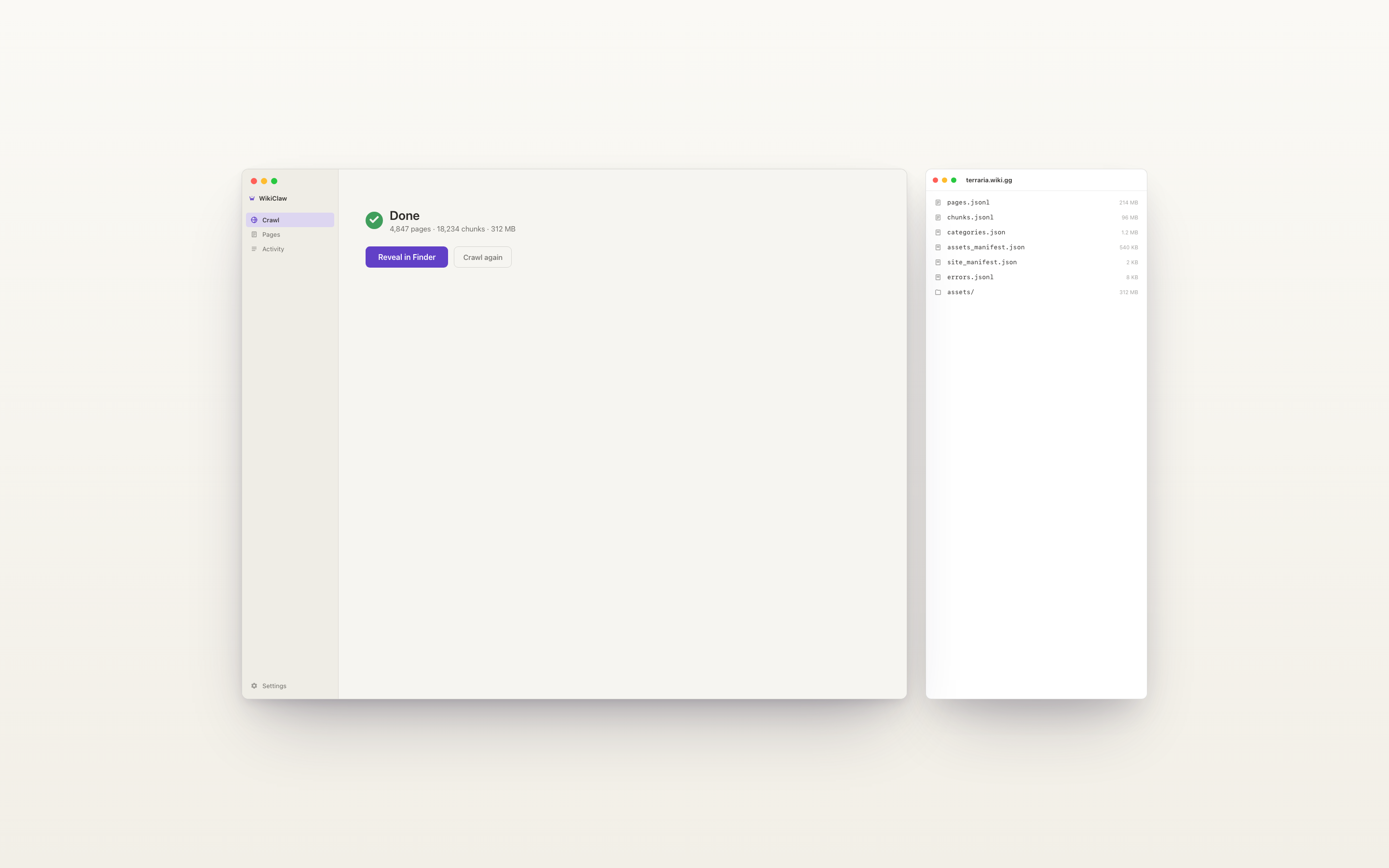
The output went straight into a local embedding pipeline (text-embedding-3-small) and got queried with three representative questions. All three were broken in v1.0:
- "What's the HP of a Bombardier at level 5?" → the synthetic infobox chunk hits, top-1.
- "How should I deploy Heavy Tanks early game?" → the breadcrumb-headed Strategy chunk hits - the one previously indistinguishable from every other Strategy chunk on every other unit page.
- "List the unit categories." → the synthetic page-summary chunks hit, surfacing structure rather than prose.
None of these fixes added new product surface for the human reader. They're invisible from the doorway. They're the entire product from the LLM's seat.
One week, real product, real users on the way.
The whole product - Mac app, marketing site, output pipeline - was built and submitted to the App Store in roughly a week from start to submission. As of this writing, v1.0 is in Apple App Review, v1.0.1 is staged for the next submission, and the marketing site is collecting waitlist signups.
The App Store screenshots double as marketing - same cream-and-purple visual language as the app itself, with one positioning headline per shot. They're the first real test of the product brand outside the app window.
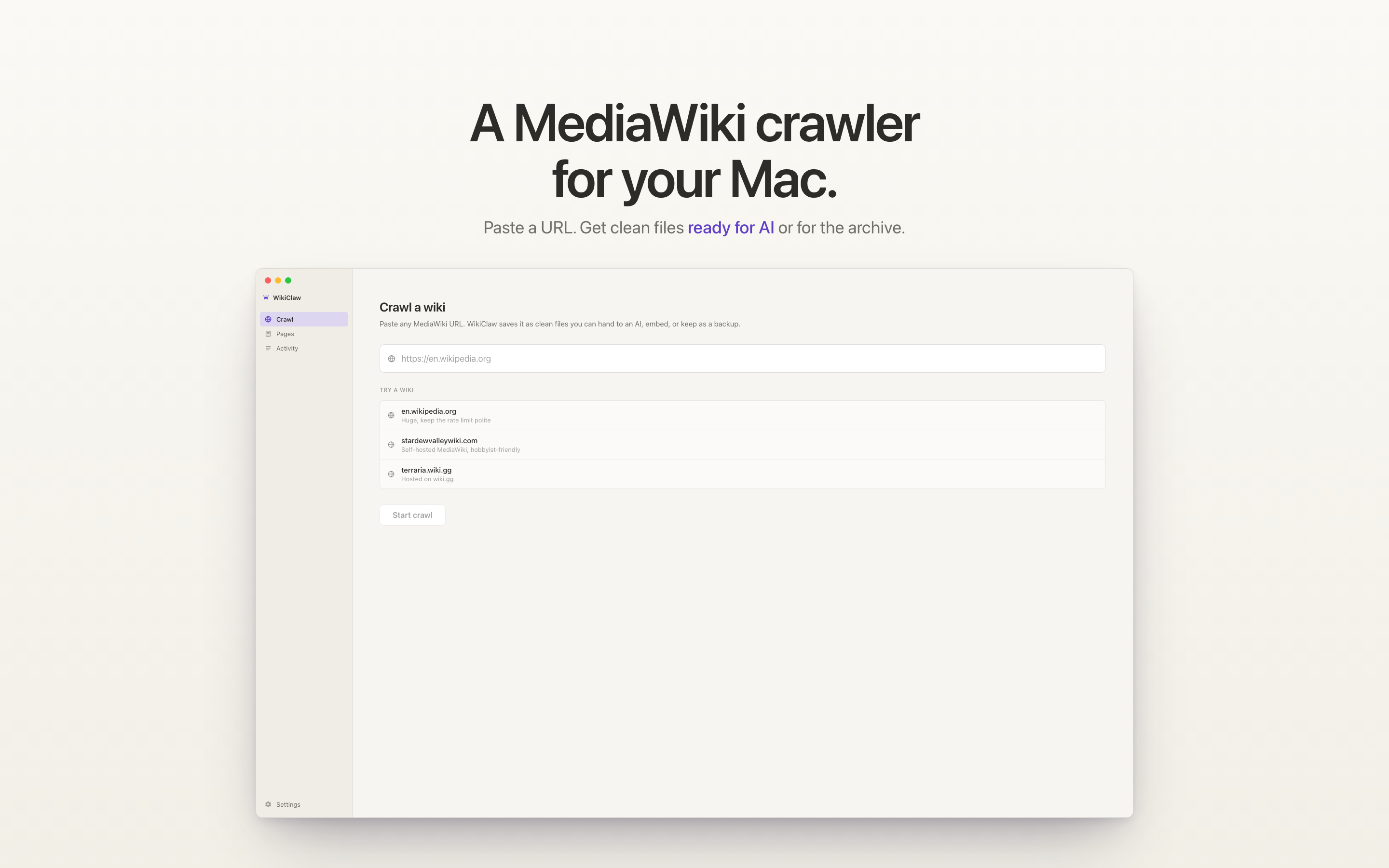
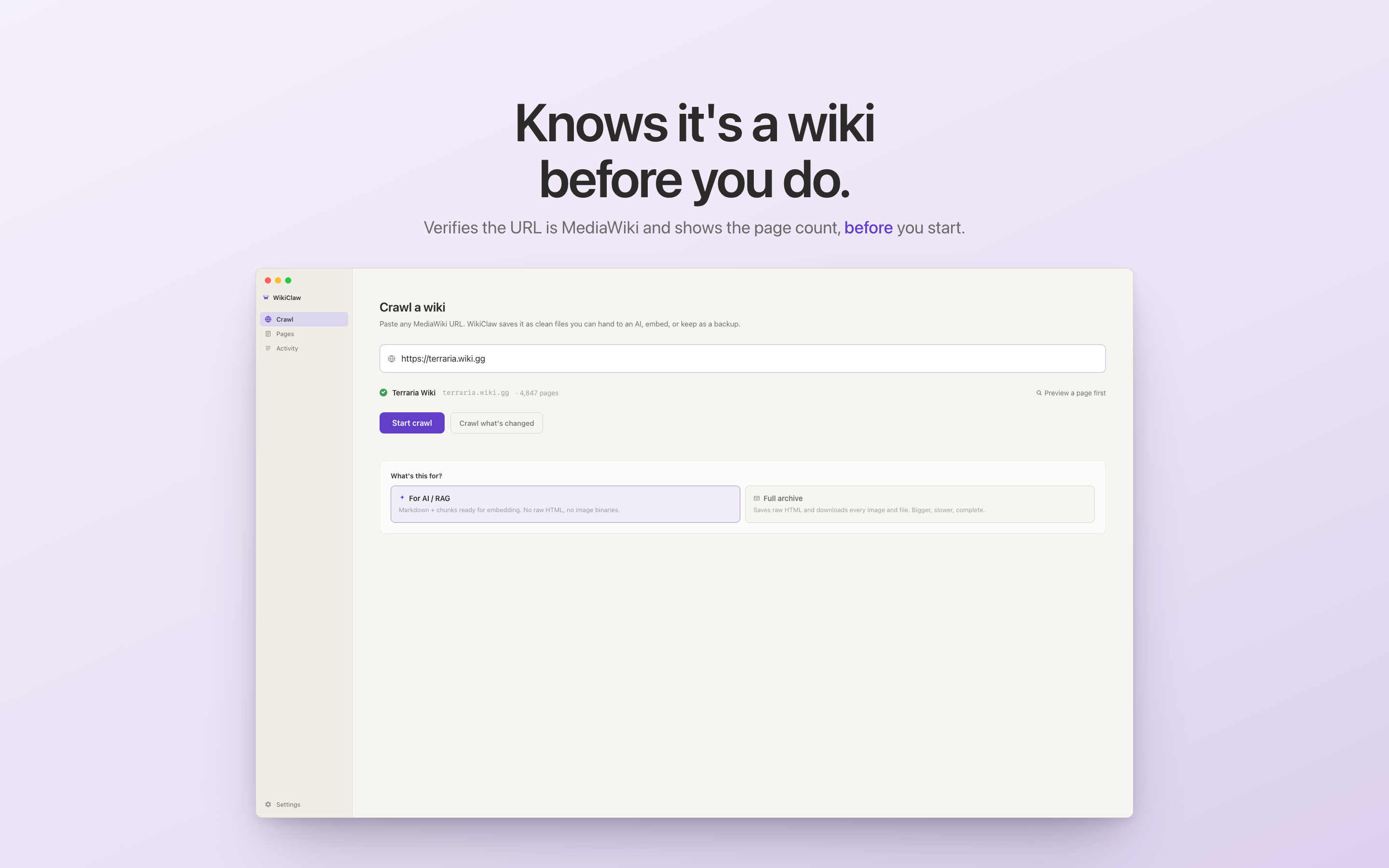
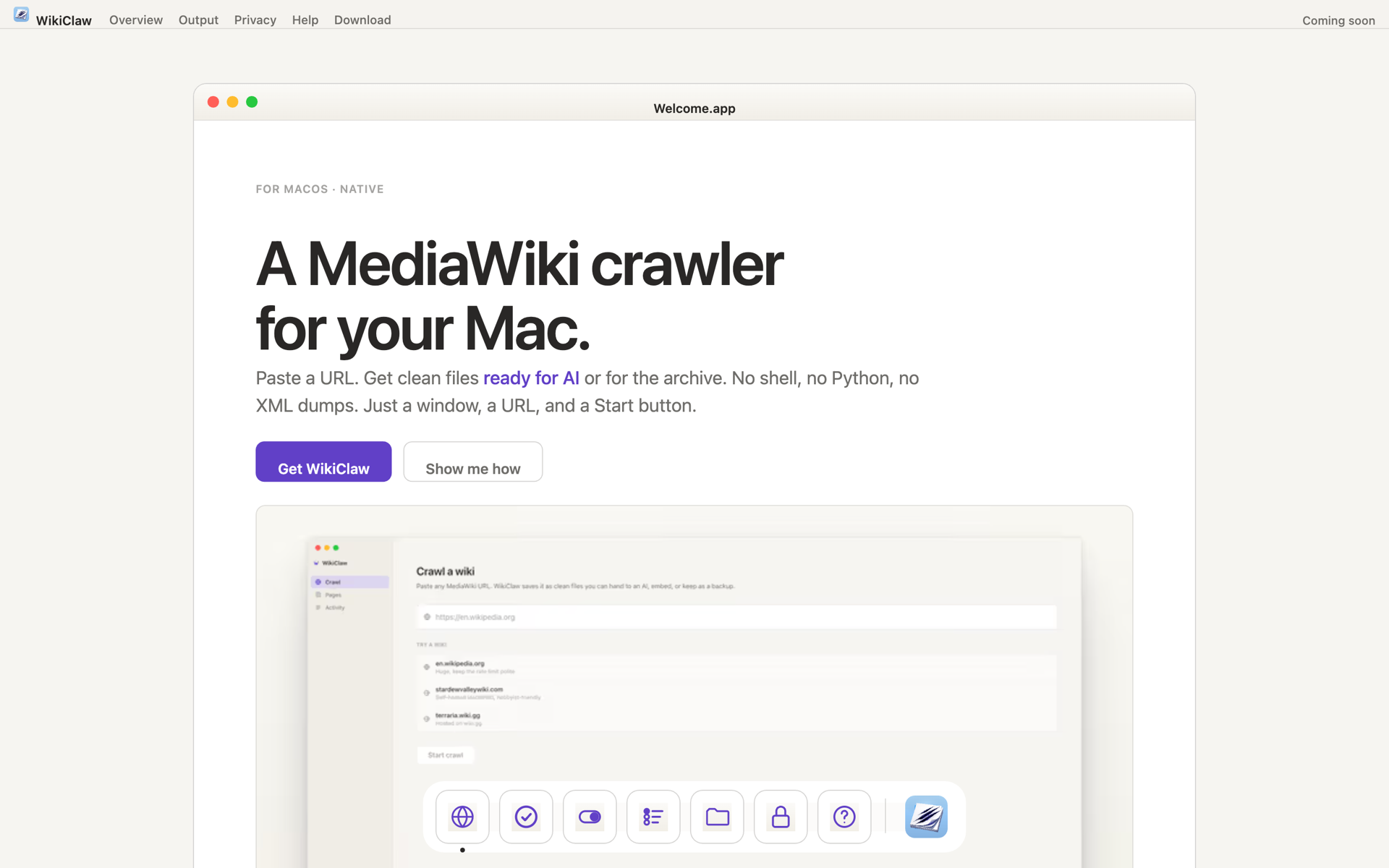
Shipping a Mac app means designing more than the app. The App Store listing and the marketing site had to land the same product story in three different surfaces - same value prop, same cream-and-purple visual language, different reader and different attention budget.
I don't write Swift. I shipped a Swift app anyway.
The case study above could read as if I'm a Swift engineer with a design hat on. I'm not. I'm a UX product designer who works with AI as an engineering pair - Claude Code translates my product decisions into Swift, SwiftUI, and WKWebView code, which I then ship via Xcode. Every line in WikiClaw was directed by me, reviewed by me, written by AI. That's what lets a designer take a product from research to App Store without an engineer in the loop.
- The product thesis — “the output is the product”
- The UX architecture: verify-before-crawl, two modes, sandbox-on for MAS
- The JSONL schema and the v1.0.1 audit + four output fixes
- The architecture decision (URLSession vs. Python+Playwright vs. WKWebView)
- The visual design, App Store screenshots, and marketing site IA
- Every tradeoff documented above
- Translating my decisions into compiling Swift / SwiftUI / WKWebView / SwiftData
- The Xcode project plumbing, entitlements, sandbox configuration
- The bug-fixing loops — reading stack traces, suggesting fixes
- The marketing site React / Next.js implementation
- The boilerplate I'd never want to write by hand anyway
·Why directing AI well is its own discipline
The bottleneck for shipping a product used to be “can you write Swift?”In 2026, increasingly, it's “do you know what to ship?” The first question is being answered by tools. The second is the one design school is supposed to train you to answer — and it's the one I've spent two years getting better at.
Directing AI well isn't low-effort. You have to know what you want clearly enough to describe it to a model. You have to read the diff well enough to tell when the AI is bluffing. You have to keep the architecture coherent across hundreds of small decisions an AI would otherwise make randomly. You have to know which decisions are reversible and which aren't, and protect the latter. The skill that ships the product isn't typing speed — it's product judgment, exercised every fifteen seconds.
If you're hiring for a UX product designer who can take a product from research to a shipped App Store binary without an engineer in the loop — at startup velocity — that's the case study above. If you're hiring for a Swift engineer first, I'm not the right candidate, and the rest of this portfolio shouldn't waste your time.
Three things on the roadmap before v2.
Concurrent fetchers. WKWebView is single-threaded per instance, but two or three webviews can run in parallel against the same crawl queue. Roughly 2–3× throughput, no infrastructure change, no impact on the App Store path.
Multi-wiki batch. WikiClaw currently crawls one wiki at a time. Researchers I've talked to want to batch-process a list of wikis overnight. Trivial UX change - a textarea where the URL field is - but a real pipeline change.
Embedder-specific output profiles. The chunk-size picker is the only embedder-aware setting today. The destination is profiles - "Optimize for OpenAI", "Optimize for Voyage", "Optimize for local Nomic" - each tweaking chunk size, overlap, summary granularity, and field formatting in concert.
The longer-horizon work is harder to put in a roadmap. Treating the LLM as a real audience - designing schemas as deliberately as we design UI - is a habit, not a feature. WikiClaw is the first product I've shipped where that habit was the work.
The honest list.
Test the output before the UI. v1.0 was a week of polishing the doorway and zero validation of the JSONL. The retrieval audit that became §3 should have happened on day one - I'd have caught the "Strategy chunk" problem before it was baked into the schema. Lesson: when the output IS the product, treat it as the ship-blocking deliverable, not a finishing touch.
Talk to a real RAG team before the architecture pivot. I picked WKWebView based on my own constraints (App Store eligibility, distribution simplicity). It's the right answer, but it took three architectures to get there. Twenty minutes with someone who'd shipped a similar tool would have killed two of those iterations.
Design the verify step earlier. The verify-before-crawl flow is the highest-confidence UX decision in the product, but it was the last thing I built. For a while, the app would happily crawl-fail eighteen minutes into a non-MediaWiki URL - the absolute worst error to write a postmortem on. If I'd started with a sketch of the worst-case error path, the verify step would have been the second screen, not the last.
Eat your own dog food earlier. The JSONL audit caught four output bugs that would have shipped to v1.0. The reason I caught them: I was using WikiClaw's output as the RAG source for a Discord bot my gaming guild uses to answer in-game questions. If I'd wired the bot up in week one instead of week three, I'd have caught the schema problems before the doorway was finished. The downstream consumer is the best test - and in this case, I am the downstream consumer. That feedback loop should have closed sooner.